How to create cornerstone content people can rely on
Cornerstone content is a central page or guide that explains an important business topic and connects readers to more detailed answers. It starts with audience needs rather than a target word count. Clear structure, reliable information and regular upkeep make it easier for people and search systems, including AI-powered ones, to understand and use.

What cornerstone content actually does
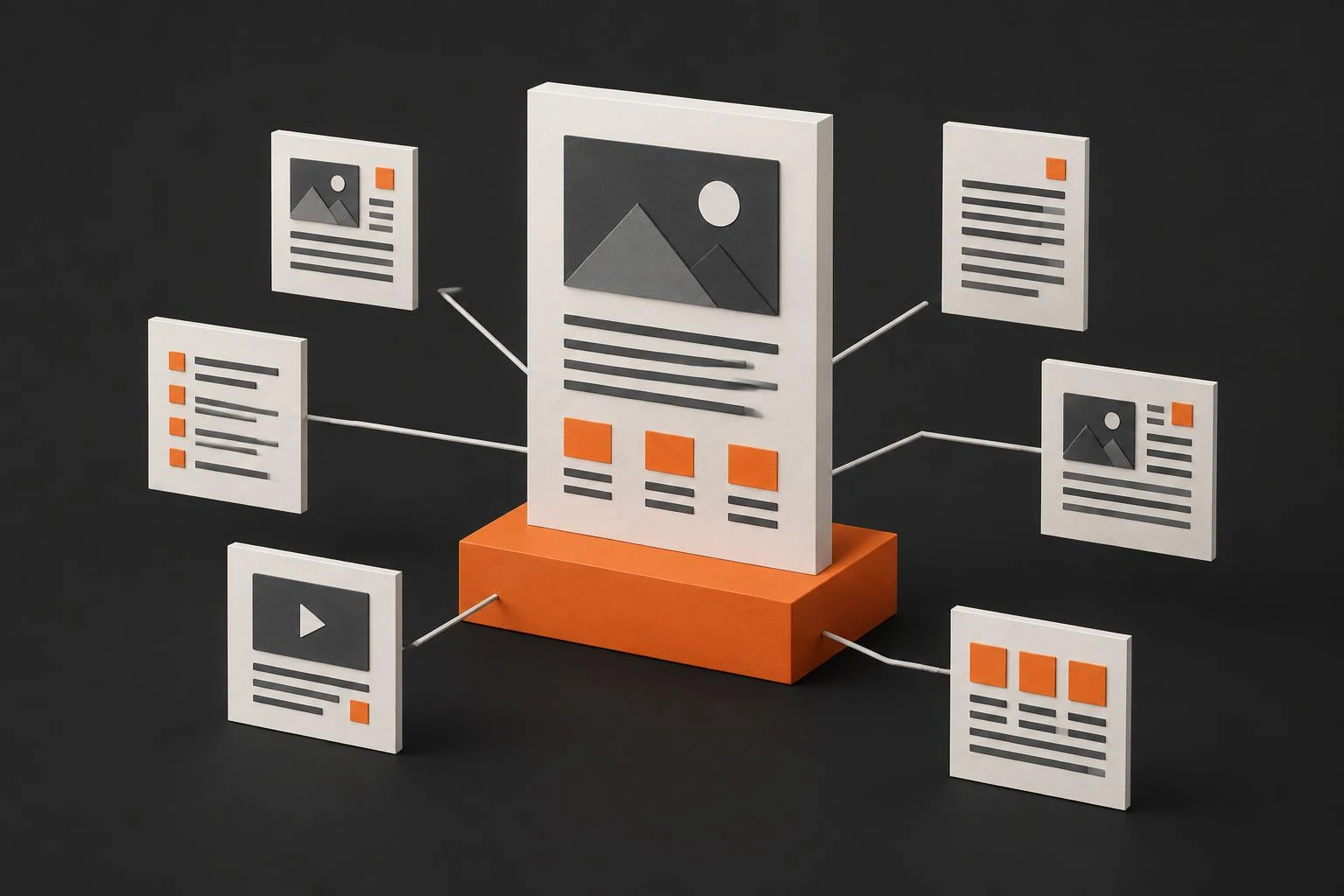
Think of cornerstone content as the starting point for a major subject on your website. It explains the essentials, puts the subject in context and points readers towards deeper information. A comprehensive guide, a practical tutorial or a well-organised knowledge page can serve this purpose.
For an accountancy website, a guide to starting a business could connect separate explanations of record keeping, obligations and working with an accountant. This is a general illustration of how pages can fit together, not a claim about a real business or its results.
Length alone does not make an article a cornerstone. Its importance to your audience and its role within the website matter more. The topic often remains relevant over time, but the details can change. Lasting usefulness requires maintenance, not simply an evergreen label.
Why it is worth the effort
Without a central guide, visitors may have to piece together an answer from several unrelated pages. A cornerstone gives them an overview and lets them choose the details that matter to their situation. It can help people who do not yet know the right questions to ask.
For a small business, it is a way to demonstrate expertise without turning every paragraph into a sales pitch. Someone exploring a problem may appreciate a clear explanation long before they are ready to choose a supplier. That does not mean every reader will become a customer.
Links between related pages also help search engines discover content and understand how topics connect. A useful guide may attract references from people who find it helpful. Neither the format nor the links guarantee rankings, traffic or enquiries.
Research the audience before choosing keywords
Start with a person and a problem. What are they trying to understand or decide? Review questions from emails, calls and conversations. Note the language customers use, the points that confuse them and the information they need before taking the next step.
Then explore the search terms surrounding that problem. Look at the broad topic, more specific phrases and question-based searches. Check the intent behind them: an explanation, instructions, a comparison or a service. Search volume is one consideration, not a reason to chase a topic outside your expertise.
Read existing results to identify gaps rather than wording to imitate. Perhaps a key step is missing, the explanation assumes too much knowledge, or local conditions are not addressed. For Slovak and Czech small businesses, relevant local context can matter. Only add that context when you can verify it.
Choose a topic you can explain credibly and record which details need checking. Keep the research so future updates can respond to changing questions rather than guesses.
Choose a format and map the supporting pages
The format should reflect what the reader needs to accomplish. A guide can explain a complex subject, a tutorial can support a task, and a knowledge page can answer recurring questions. A diagram, checklist or video may add value where words alone make the task harder to follow.
Build an outline that moves from essentials to practical decisions. Give each section a clear question to answer. Place specialist detail on supporting pages when it would overwhelm the main guide, and link to it at the relevant point.
Decide who will provide expertise, check accuracy and own future updates. Existing material can be reused if it is still correct and fits the plan. Joining old articles together without editing usually creates repetition rather than a coherent resource.
Write for understanding, not for a word count
Answer the main question near the beginning. Follow with the reasoning, steps and limitations the reader needs. Explain unfamiliar terms when they first appear. Keep paragraphs focused so someone scanning the page can still find their way.
Use keywords where they naturally belong. Repeating a phrase in every heading does not make the explanation better. Choose headings that describe the questions beneath them, and use lists when the information genuinely consists of steps or conditions.
Separate facts from advice. Check changing information against current evidence and identify its origin when that is needed to support a claim. If a point is uncertain, say so rather than writing with false confidence. Do not invent customer stories, measurements or outcomes to make the guide sound persuasive.
Make the page easy to find and use
URL, title and headings
Choose a short, descriptive URL that reflects the subject. Routine revisions should not require a new address. The search title and main heading should accurately describe the page, although their wording can differ. Use the meta description to explain what the reader will learn, without promises the content cannot fulfil.
Arrange subheadings in a meaningful hierarchy. Each should help readers identify the next relevant answer. Give links descriptive labels so their destination is clear without relying on a vague instruction to click.
Images, loading speed and mobile reading
Use visuals to explain something, not merely to break up the page. Alt text should describe the image’s purpose in context. A purely decorative image can have empty alt text. Avoid turning descriptions into keyword lists.
Resize images for their intended display, choose an efficient format and compress them without losing necessary detail. Set image dimensions to reduce layout shifts as they load. Images further down the page can load when readers approach them rather than competing with the opening content.
Check the page on a phone. Text should be readable, links easy to use and tables accessible without hiding important information. Do not place intrusive overlays between a visitor and the answer. Loading speed and comfortable reading need to work together.
Promote the guide and connect it to your website
Link to the cornerstone from relevant articles and service pages. Within the guide, point to supporting explanations when they help readers continue. Internal links are most useful when they have a clear purpose, not when they meet a quota.
For email subscribers, introduce the problem the guide solves and provide a direct link. Respect consent and the kind of messages recipients expect. On social channels, share individual tips, short explanations or diagrams that lead back to the complete resource.
Review how people discover the page, which questions bring them there and whether they continue to related content. Keep visits and genuine enquiries separate when assessing performance. Use what you learn to clarify weak sections and add missing answers, not to surround the article with sales prompts.
Where GEO fits in
GEO concerns visibility in search and answers generated with AI. A clear definition, well-labelled sections and answers that make sense on their own may help a system interpret the information and potentially reference it in a response.
Reliable evidence, consistent terminology and technical access to the page still matter. A short FAQ can make common answers easy to find, and its structured data should match the visible wording. None of these measures guarantees selection or citation by an AI search engine.
Keep the resource dependable
Set review priorities according to how quickly the subject changes. Check outdated instructions, service information and broken links. New audience questions can reveal missing sections; material that no longer helps can be removed.
Change an update date when you have actually revised the content, not just to imply freshness. After an edit, revisit the summary, FAQ, metadata and supporting pages so they remain consistent. A cornerstone earns its place by staying useful, not by being published once and forgotten.
Questions and answers
What is cornerstone content?
It is a central page or article that explains an important website topic and connects readers to more detailed, related content.
How long should cornerstone content be?
Long enough to answer the audience’s questions usefully. There is no target word count that makes a page a cornerstone, and repetition adds little value.
How do you choose a cornerstone topic?
Combine customer questions with keyword and search-intent research. Choose a subject within your expertise that you can explain accurately and helpfully.
When should cornerstone content be updated?
When important information changes or new audience questions reveal gaps. Reviews should also check links and consistency with supporting pages.
Does cornerstone content guarantee AI search citations?
No. Clear, verifiable answers may make the content easier to use, but source selection and citations cannot be guaranteed.
If you need a clear business website to support this content, explore our PeknéWeby website services.